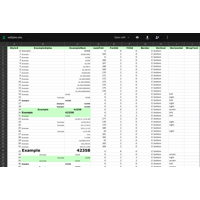
One common trait we see at companies small and large is that users have a seemingly insatiable appetite for queries, dashboards and Excel downloads. Fortunately, the Nitro Query app included with Valence provides a great mechanism for quickly whipping out these kinds of apps without any programming. With Valence 5, in addition to completely...Read More
When working with dates on IBM i you will often need to deal with null date values of 0001-01-01. Depending on the display format you’ve chosen, in a Valence UI designed with Ext JS a null date field will be rendered like this: When the user clicks on the date selector trigger here, a calendar pops up...Read More
The VVOUT spreadsheet procedures were enhanced in Valence 4.2 to support the generation of Excel spreadsheets in .xlsx format. You can see a practical example of these procedures in action by clicking on the download button on any of the entities in the Portal Admin app (the corresponding backend RPG code is located in various VVADM*** source members)....Read More
You already know that installing Valence on IBM i and using it internally within your corporate network is fast and easy. Your company’s employees should also be able to access your Valence instances through a standard VPN connection when they are located outside of your company’s physical network. But what about when you need to provide secure access...Read More
Note: This month’s tip is an update to a blog post originally made a few years ago, when integrated record locking functionality was first incorporated into the Valence RPG toolkit (in version 3.2.20130912.0). When developing apps in which users will be editing the contents of an order or master table record, you have to consider the possibility that...Read More
If there’s one common theme among IBM i power users, it’s that they all love playing with spreadsheets! Fortunately, Valence makes it easy to cater to this love. RPG developers simply feed an SQL statement to vvOut_execSQLtoSS() or vvOut_execSQLtoCSV(), and the results are automatically downloaded into an Excel-compatible spreadsheet file. But what about going the other direction? What if users could...Read More
Normally the paths associated with Valence apps are hard-coded to specific values that never change. The users clicks on the app and the Valence Portal directs them to a specific IFS path or web page. But what if you had a special use case where you wanted to alter the IFS path or URL based...Read More
As you create and deploy more Valence apps within your organization, logging in to the Valence Portal becomes more of a daily routine for your IBM i users. In such cases, setting up a global auto-start tab (as done in Portal Admin > Settings > Session Options > Application to autostart) can be a handy...Read More
With the recent introduction of Polish as our ninth spoken language translation in the Valence Portal, developers now have yet another option for supporting multilingual installations running on IBM i. Even if your company does not currently have a multilingual user base, if it may someday become multilingual as a result of international acquisitions or mergers, there are some simple steps you can take in your app...Read More
As you roll out more and more Valence apps to your IBM i users, it’s only a matter of time before you receive a call from someone claiming a program didn’t respond with the expected data, or took too long to respond. Or perhaps it didn’t respond at all! Of course, getting pertinent cause-and-effect details from users in...Read More