We’re long past the days where a single on-site server could handle all the IT needs of a typical business. Today it’s likely your IBM i system is supplemented by a myriad of separate servers — perhaps even additional IBM i boxes or partitions — each housing its own database. These isolated machines contain valuable information pertinent to the...Read More
The tried and true IBM i Query Utility (as accessed via STRQRY or WRKQRY) is mainstay in many IBM i shops. But it goes without saying that the user interface associated with the configuration and the output of an IBM i Query leaves a bit to be desired. This is particularly true when users must navigate...Read More
With every user action in the browser that results in a call to a Valence instance running on your IBM i Power Server, a wealth of data about the user’s session is sent to the integrated Apache Server. This information can be accessed by your back-end RPG programs to potentially alter how they respond to...Read More
The Nitro Query app included with Valence is designed to quickly take large volumes of IBM i data and make it easily accessible to your users in the form of a dashboard or query. Management and company executives in particular love the intuitive nature of being able to click through charts, graphs or grids, and optionally download the data to...Read More
The latest version of Valence 5 (5.0.20170120.0 as of this writing) makes it significantly easier and more convenient to develop Valence apps using Sencha Architect. Specifically you can now: Work on Valence apps locally on your Mac or PC. Working with the code locally on your own Mac or PC is much faster and more reliable...Read More
In a typical Valence app you have a myriad of front-end UI logic working in tandem with back-end RPG programs that process AJAX calls and perform functions to retrieve or update IBM i data. Whenever something goes wrong on the front-end, you can typically zero in on the issue by peering into the browser’s console. But...Read More
By far the most popular UI component in the Valence modernization framework is the subfile-on-steroids known as the Ext JS grid. And for IBM i developers and super users alike, there is simply no faster way to roll out a web or mobile application exploiting this powerful functionality than through the grid widget in Valence’s Nitro Query tool. In recent...Read More
AutoCode apps generated with Valence 4.2 use Ext JS 4.2 — the fact that these are the same version numbers iwherever possible it is recommended that you just regenerate the app using the new autocode that comes with valence 5. However, if you’ve made enhancements to AutoCode apps generated in Valence 4.2 then regeneration from scratch isn’t...Read More
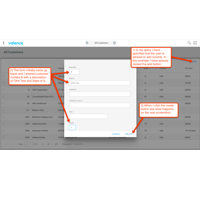
One of the most powerful widgets available in Nitro Query is the Edit Grid. Traditionally queries are read-only, but with an Edit Grid you can actually allow users to update records in a single-file data source — right from within the query itself! In some cases you may find you can simply create a query for data entry in lieu of coding an...Read More
In order to provide data to more intricate UI elements in Ext JS such as trees or collapsible grids with nested lists, you will often find it necessary for your RPG programs to create JSON strings containing arrays within arrays. While the Valence RPG Toolkit includes plenty of vvOut functions for sending JSON data that originates as an RPG variable, a data structure, a simple...Read More